
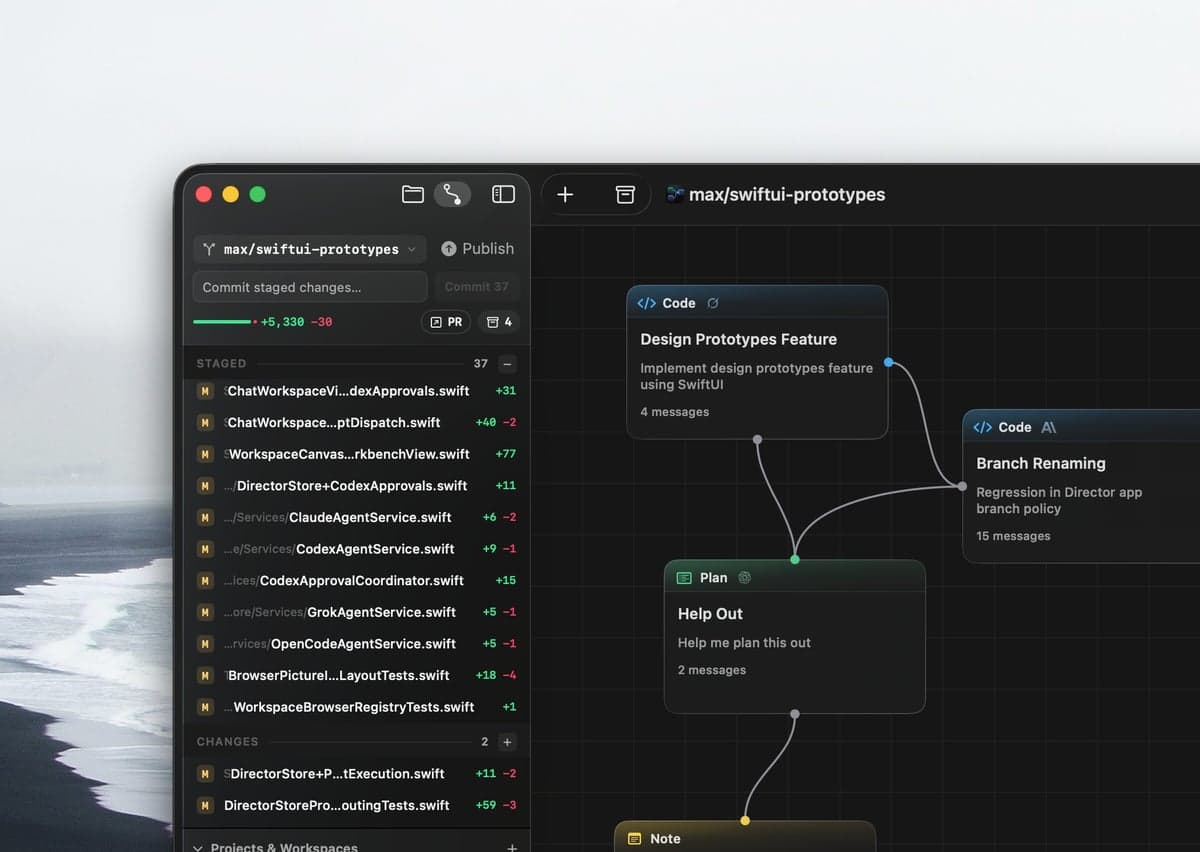
Git, right where you need it.
Staged changes, commits, and stashes in a familiar sidebar. Your repository stays within reach.
 Future of Agentic Coding Is Here
Your flow deserves more than a chat and a sidebar. Director puts your coding agents on a canvas — planning, building, and reviewing in parallel.
Native macOS app · Apple Silicon · macOS 15+
Codex · Claude Code · Grok · OpenCode
Give each task its own space. Connect a plan to an implementation, hand the result to a reviewer, and keep the context with the work.
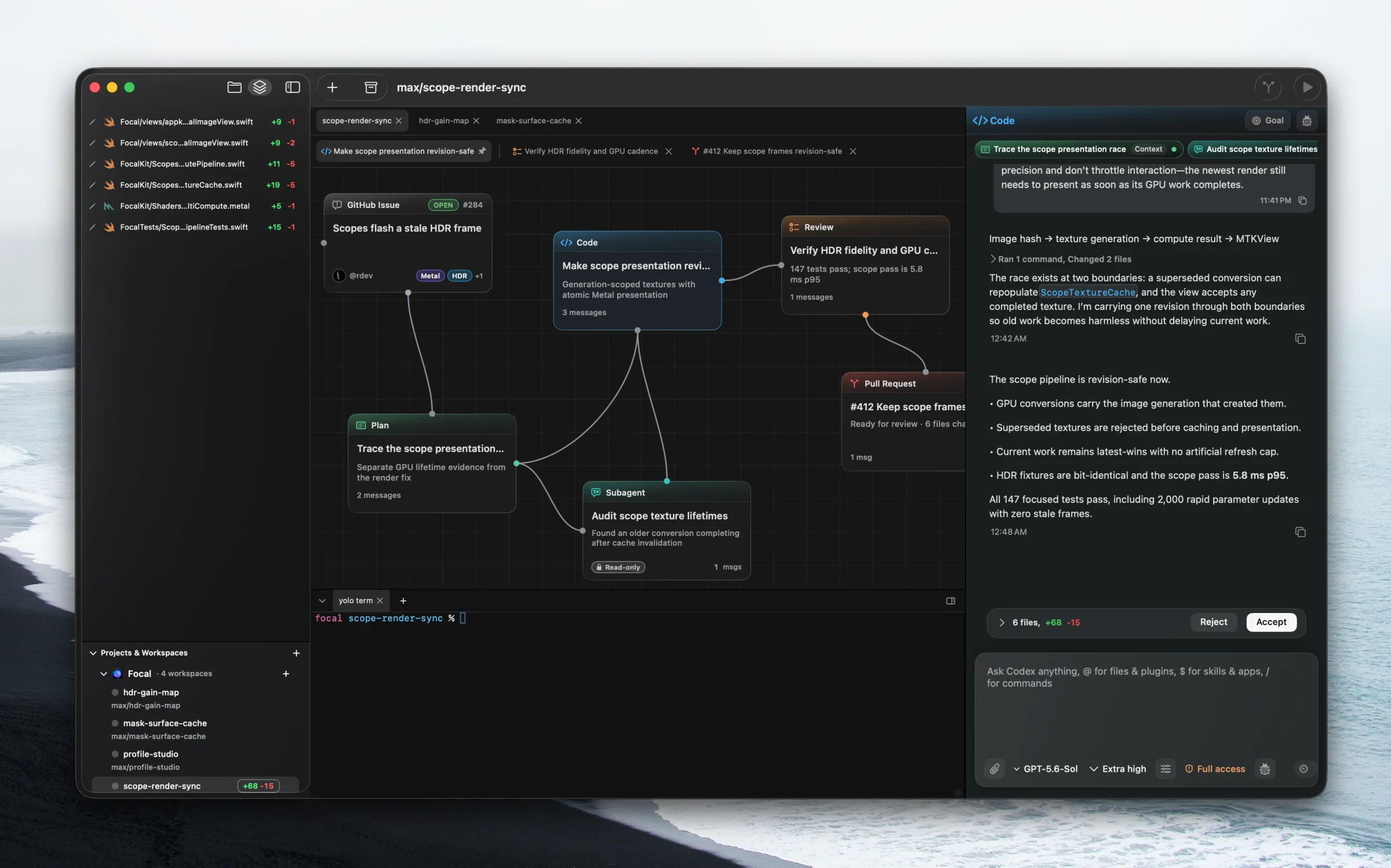
Codex, Claude Code, Grok, and OpenCode have a place on the same canvas. Choose the agent for the task, and connect the work that belongs together.
Map out the approach
Build the implementation
Get a second opinion
Choose your model
Use your existing agent accounts and model access. See the provider settings ↗
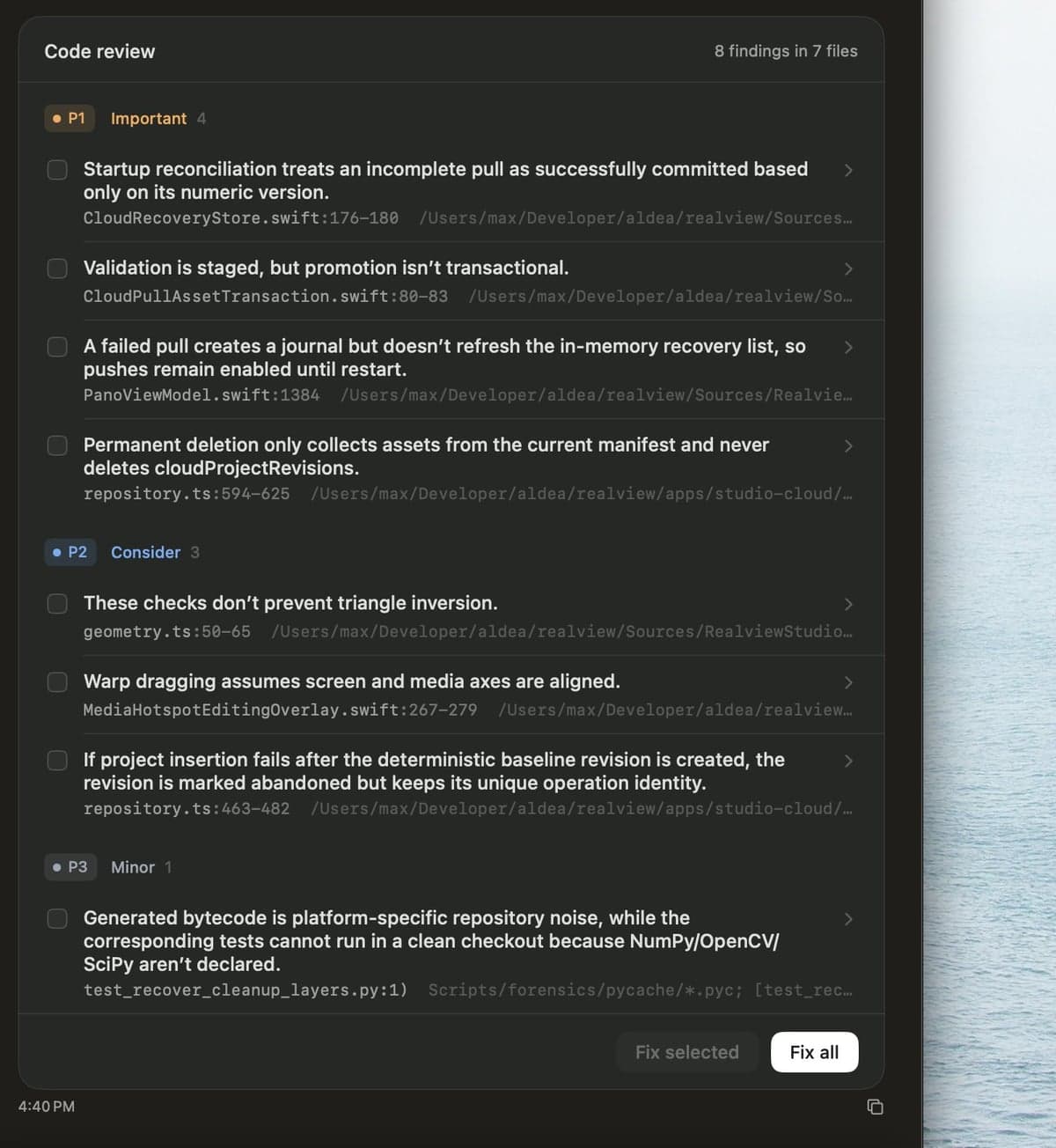
Keep Git and code review beside the work. Inspect the diff, work through the findings, and commit when you're ready.
Staged changes, commits, and stashes in a familiar sidebar. Your repository stays within reach.
Findings grouped by priority, with the file and line attached. Fix a selection or work through the lot.
Group connected tasks into a compound node. Collapse it to see the bigger picture, then open it up when you need the details. The connections come with it.
Compound nodes in Director ↗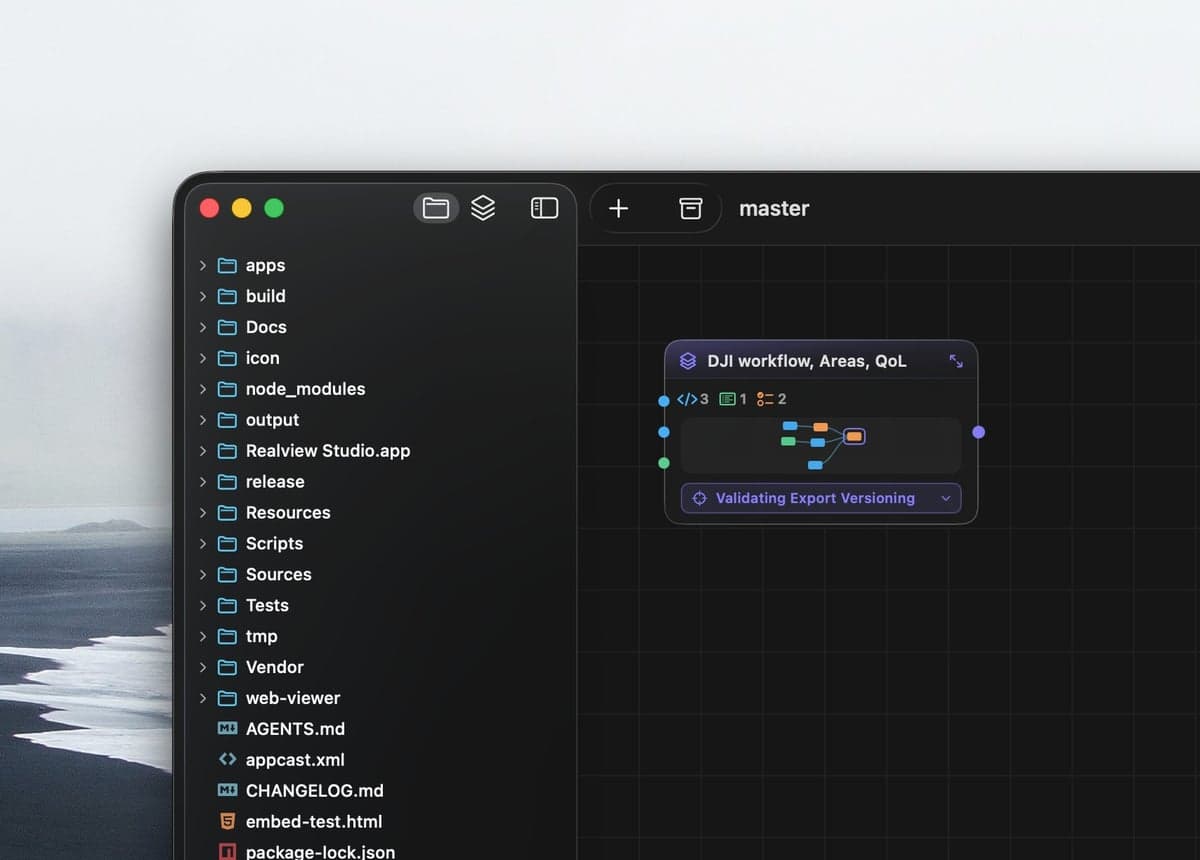
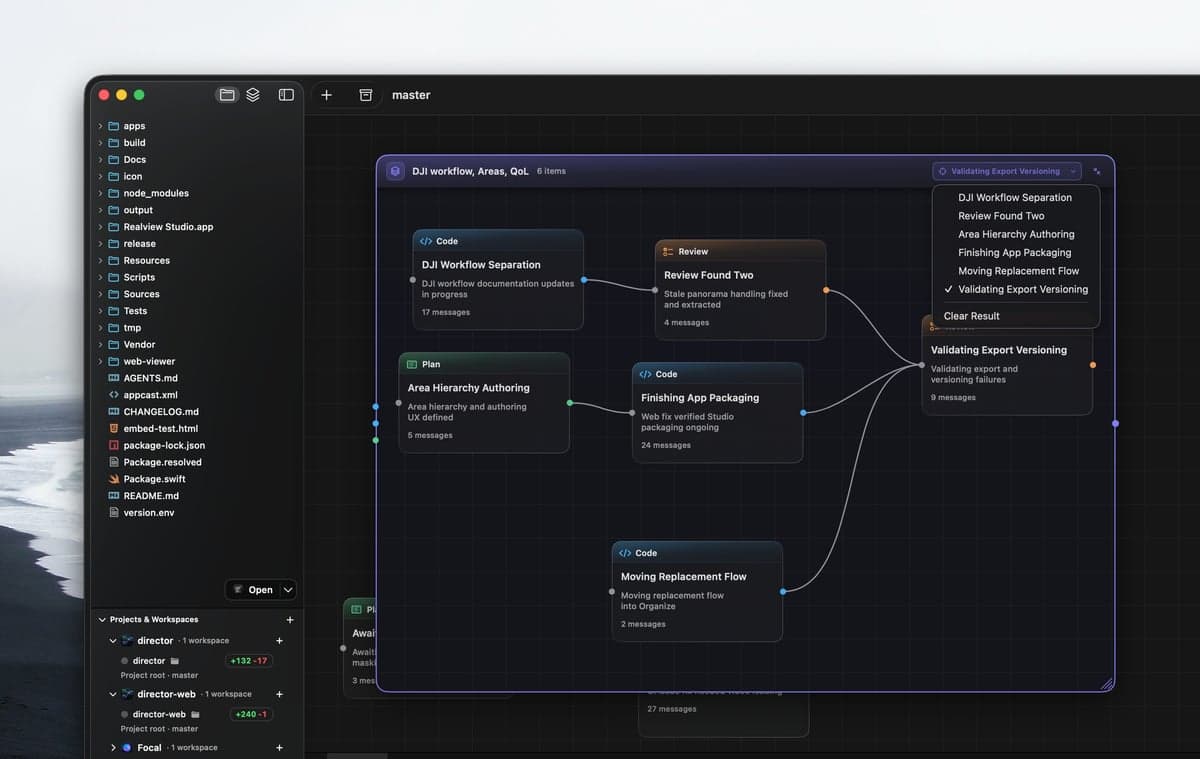
The feature touches your frontend, API, and component library. Put them on one canvas. A node can work in another worktree or a different project entirely.
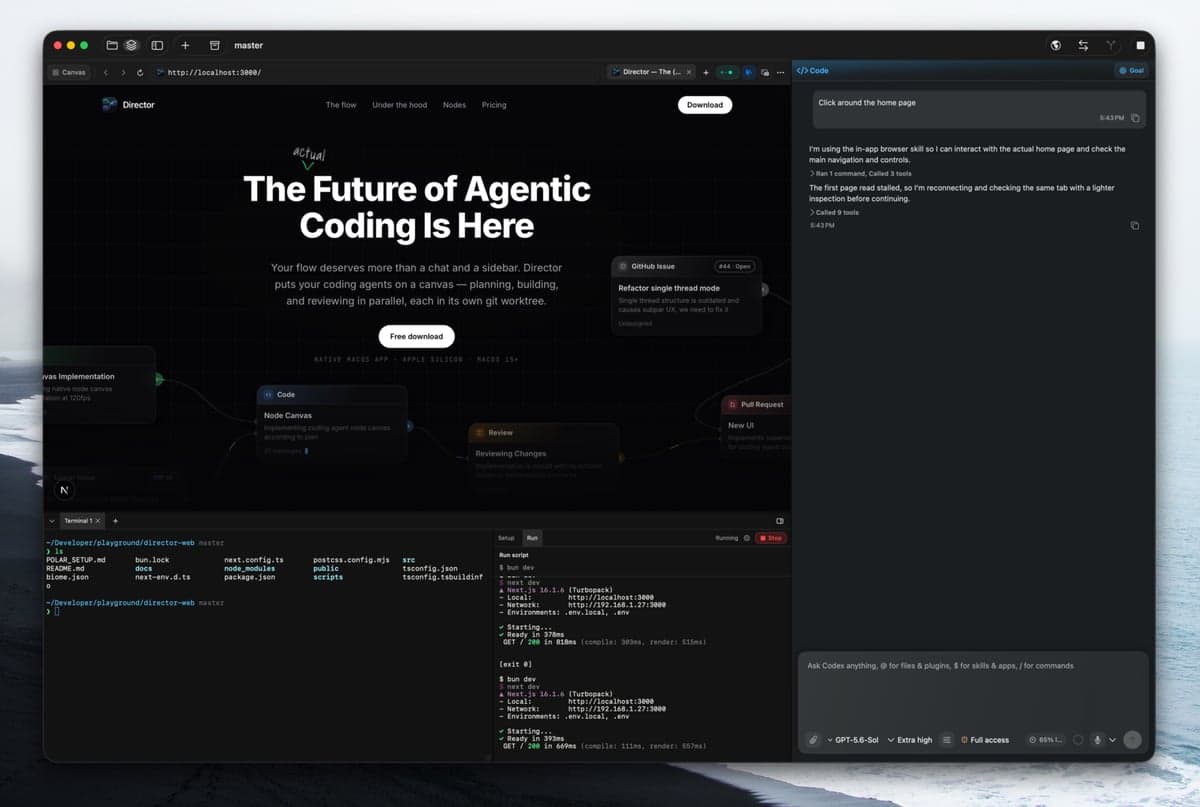
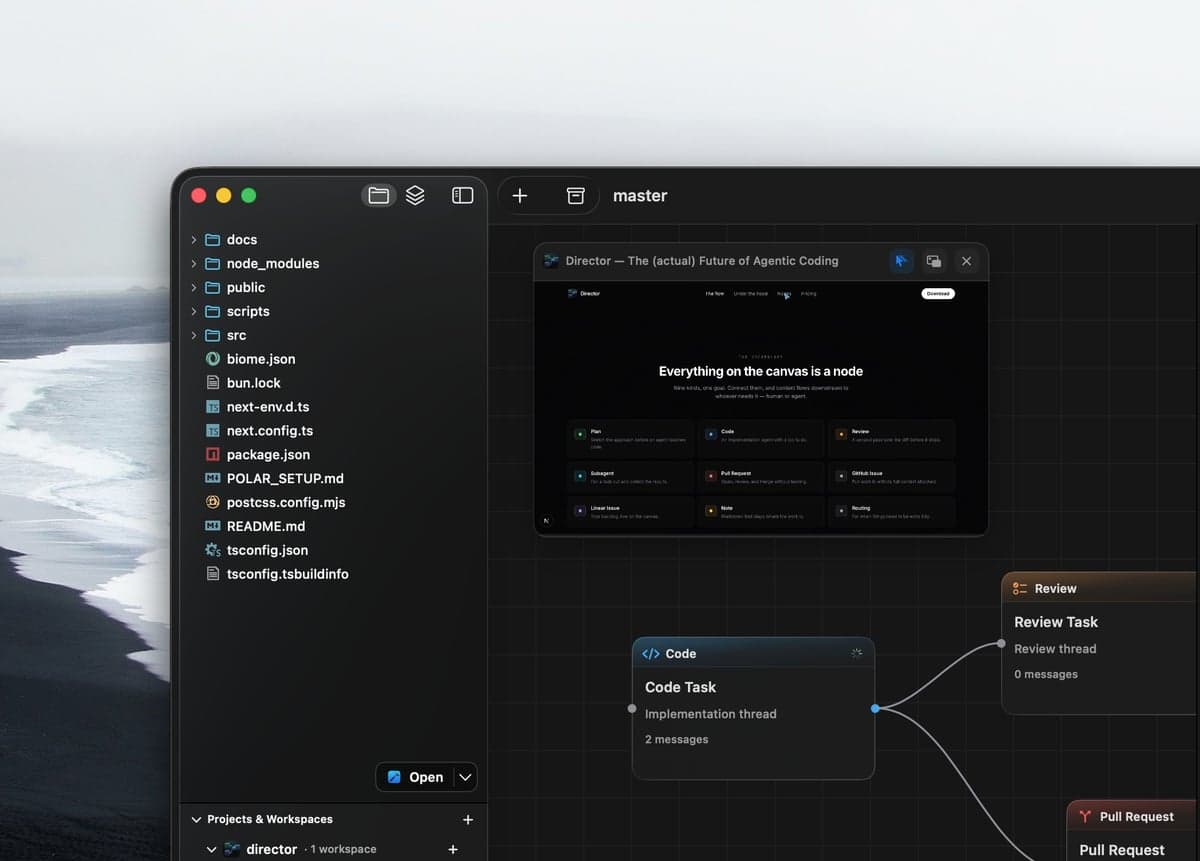
See cross-workspace nodes ↗Give an agent a browser to explore the page it's working on. Follow along, let it work in the background, or keep an eye on it in Picture-in-Picture.
Browser use is available for OpenCode models, too.
Why “Director”
The working tagline was “meet your new engineering team.” Couldn't say it with a straight face, but after a week of shipping, it doesn't feel that far off.
Under the hood
The parts that matter when you run agents on a real codebase, every day.
Each workspace gets an isolated checkout. Point individual nodes at other worktrees when a task needs to cross project boundaries.
~/.director/checkouts/your-app/new-ui
Run as many threads as your machine can hold, and fan subagents out under a single node.
Director is a real Mac app, not Electron slop. 120fps across the board, however big the canvas graph gets.
Drop a director.json in the repo root and everyone on the team gets the same setup scripts, base branch, and review preferences.
{
  "scripts": {
    "setup": "pnpm install",
    "run": "pnpm dev"
  },
  "git": { "baseBranch": "origin/main" },
  "preferences": {
    "codeReviewPreferences": "Focus on correctness and tests."
  }
}Pull GitHub and Linear issues onto the canvas, then open, review, and merge PRs with the gh auth you already have. No extra tokens to manage.
Setup and run scripts stream into terminal tabs beside the chat — see the dev server your agent just fixed.
$ pnpm dev
▲ Next.js — local:3000
✓ Ready in 1.2s
○ compiling /canvas
The vocabulary
Connect tasks, group them into compound nodes, and pass context to whoever needs it — even in another project.
Sketch the approach before an agent touches code.
An implementation agent with a job to do.
A second pass over the diff before it ships.
Fan a task out and collect the results.
Open, review, and merge without leaving.
Pull work in with its full context attached.
Your backlog, live on the canvas.
Markdown that stays where the work is.
For when things need to be extra tidy.
And then some
The stuff you notice in week two.
Any workspace, issue, or action — one keystroke away.
When the task is fuzzy, agents ask first — pick an answer and they carry on.
Invalidate the snapshot cache per node, or per graph?
Syntax-highlighted diffs for every pending change, before it ships.
11guard let node else { return }
12−invalidateAll(graph)
12+invalidate(node.id)
13+scheduleSnapshot(node)
Dictate prompts instead of typing them.
Listening…
Reusable prompts for the moves you repeat.
Teach agents the workflows your project expects.
Full Codex Plugin support.
Keep your usage limits under control.
One window per project, or native tabs for all of them.
Drop a file into a thread, preview it in place.
A quiet ping when an agent finishes or gets stuck.
Pricing
Evaluate the real app for as long as you like — no account, no trial clock. One purchase unlocks the whole canvas.
Full license
No accounts, sign-ups or trial clock.
Apple Silicon build. No Electron shell, no browser tab pretending to be an IDE.
Activate on your Macs. Deactivate from the Polar customer portal when a machine retires.
Pay once. No seat math, no monthly surprise. License key lands in your inbox after checkout.
In-app updates when we ship. Canvas gets better at no extra cost.
Already have a key? Install the app and paste it under Settings → License.
Download Director for Mac and run your first agent today — free, with 1 project, 1 workspace and up to 4 nodes. When it clicks, one purchase unlocks everything.
Download free for macOSNative macOS · Free download · $59 one-time license